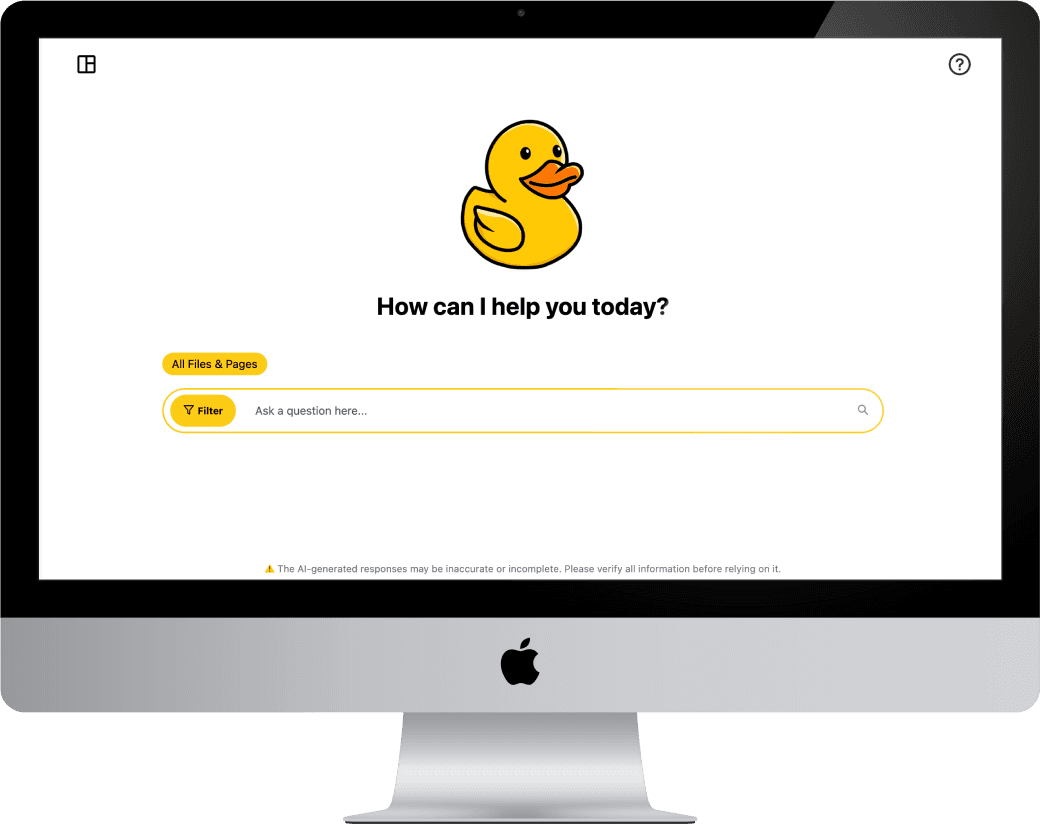
INTELLIGENT COURSE SEARCH
A Canvas-integrated search + chatbot experience for finding course content faster
ROLE
- UX/UI
- Frontend Dev
- Usability Testing
- Surveys + Interviews
TOOLS
- Figma
- React
- TypeScript
- Django
- Tailwind CSS
PLATFORM
- Canvas LTI
- Web (responsive)
- Accessibility-first
Context: This work was a revamp of an existing tool. My focus was improving UX clarity, navigation, and usability.
PROBLEM
Students waste time hunting through modules, files, and pages—especially when they don’t know the exact keyword.
Intelligent Course Search (ICS) helps students retrieve course info through search and a chatbot experience. The challenge was making the tool feel intuitive inside Canvas, reducing confusion between modes, and improving discoverability of key features (filters, chat history, and admin management).
STARTING POINT (BEFORE THE REVAMP)
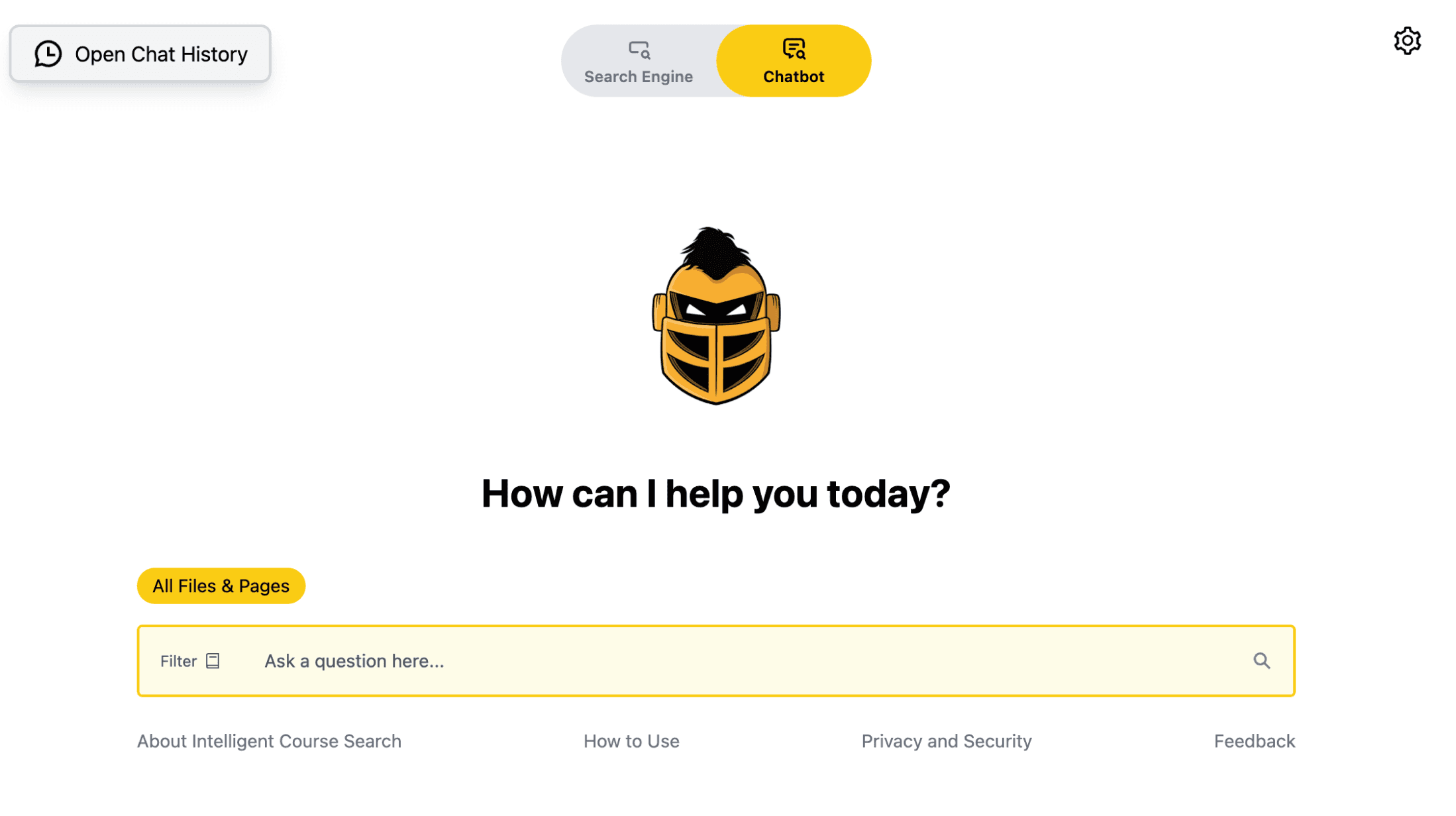
Before: landing experience lacked strong guidance for “what do I do next?” and key controls were easy to miss.
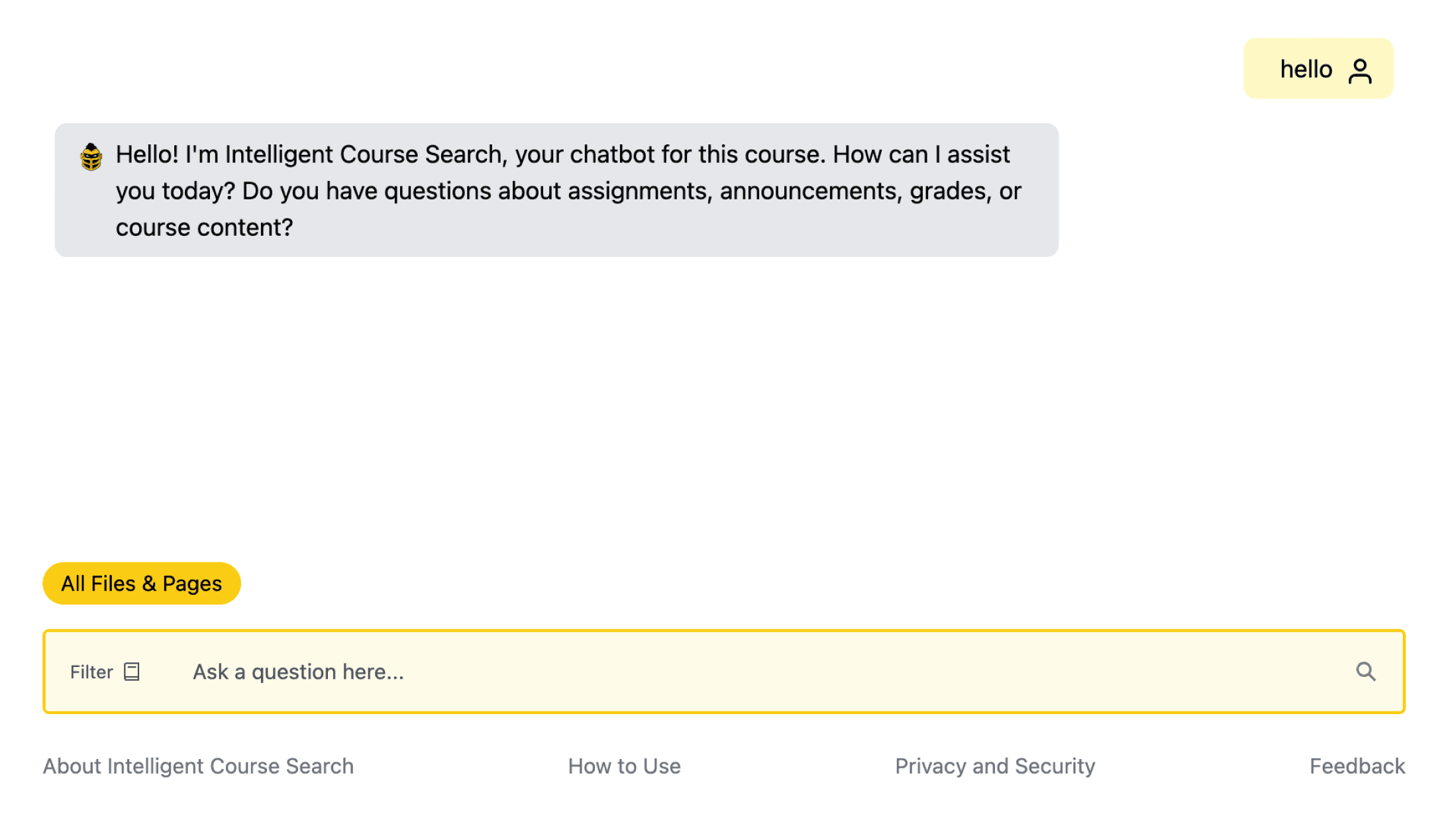
Before: chat patterns + history management weren’t as scannable, and mode switching wasn’t always obvious.
What I observed in the baseline experience
- Mode confusion: users weren’t always sure if they were searching files/pages or “chatting.”
- Low discoverability: filter + chat history were present but didn’t feel like primary actions.
- Information density: conversations + results weren’t optimized for quick scanning.
- Admin readability: the management view was functional, but visually heavy for long lists.
RESEARCH & VALIDATION
Methods
- Faculty surveys to understand expectations + adoption barriers
- Interviews to capture real “where do I find ___?” scenarios
- Usability testing to evaluate findability, mode clarity, and navigation
- Iteration reviews to confirm improvements before coding changes
What we needed the revamp to accomplish
- Make primary actions obvious within 5 seconds (Search vs Chatbot)
- Help users recover quickly when the system doesn’t respond or returns weak results
- Improve scan-ability of conversations and results
- Reduce friction for repeat usage (chat history, quick switching, consistent layout)
DESIGN PRINCIPLES
Make it feel native to Canvas
The tool lives inside an existing ecosystem, so the UI needed to be familiar, predictable, and low-learning-curve.
Reduce cognitive load
Students come here with urgency (“where is X?”). The layout prioritizes one clear action: ask or search.
Make states obvious
Search vs Chatbot needed clear separation so users always know what mode they’re in—and what results mean.
Accessibility isn’t optional
High contrast, readable type, and clear focus/hover states to support diverse users in a classroom setting.
ITERATIONS
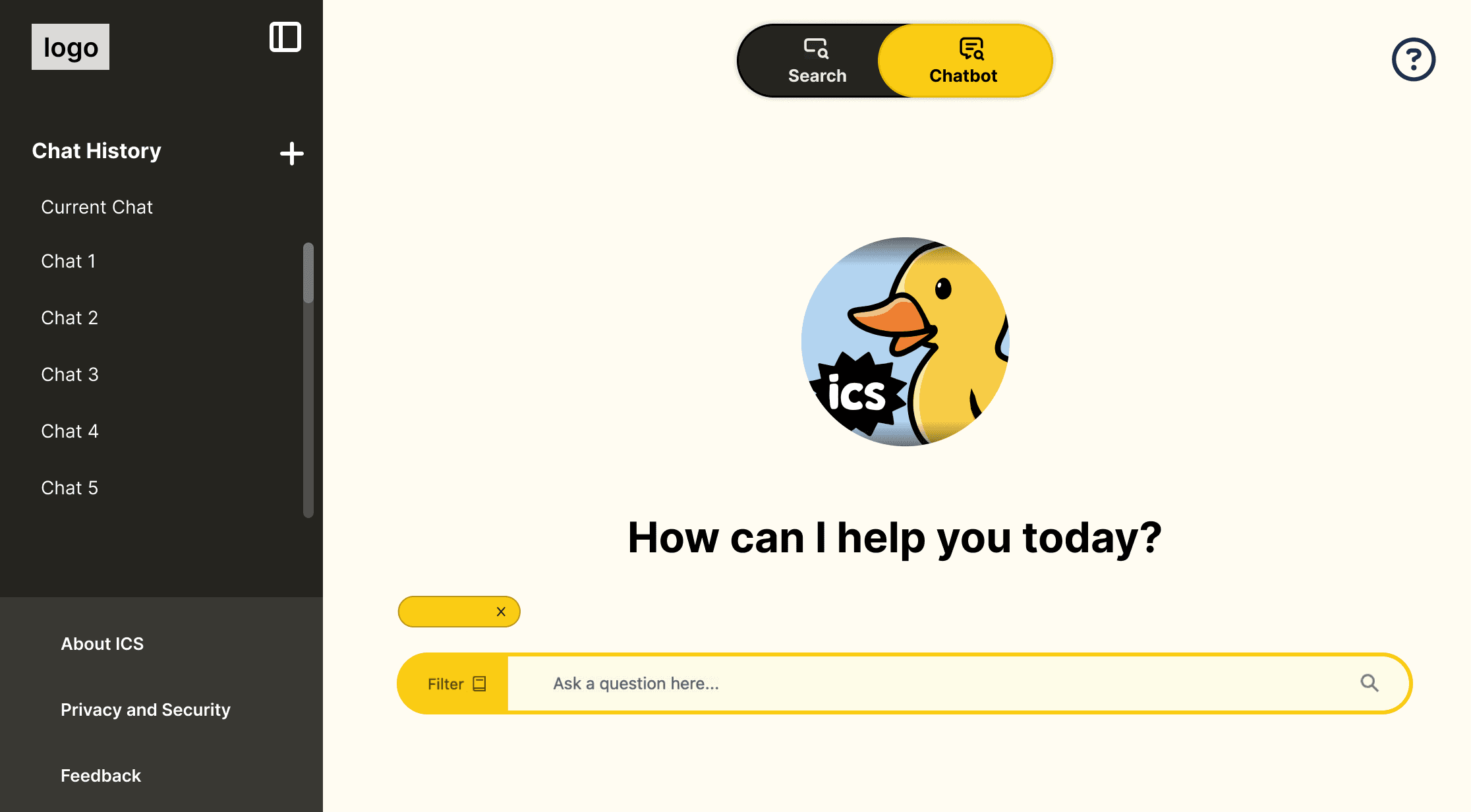
Iteration 1: introduced a clearer left rail for chat history + faster repeat usage.
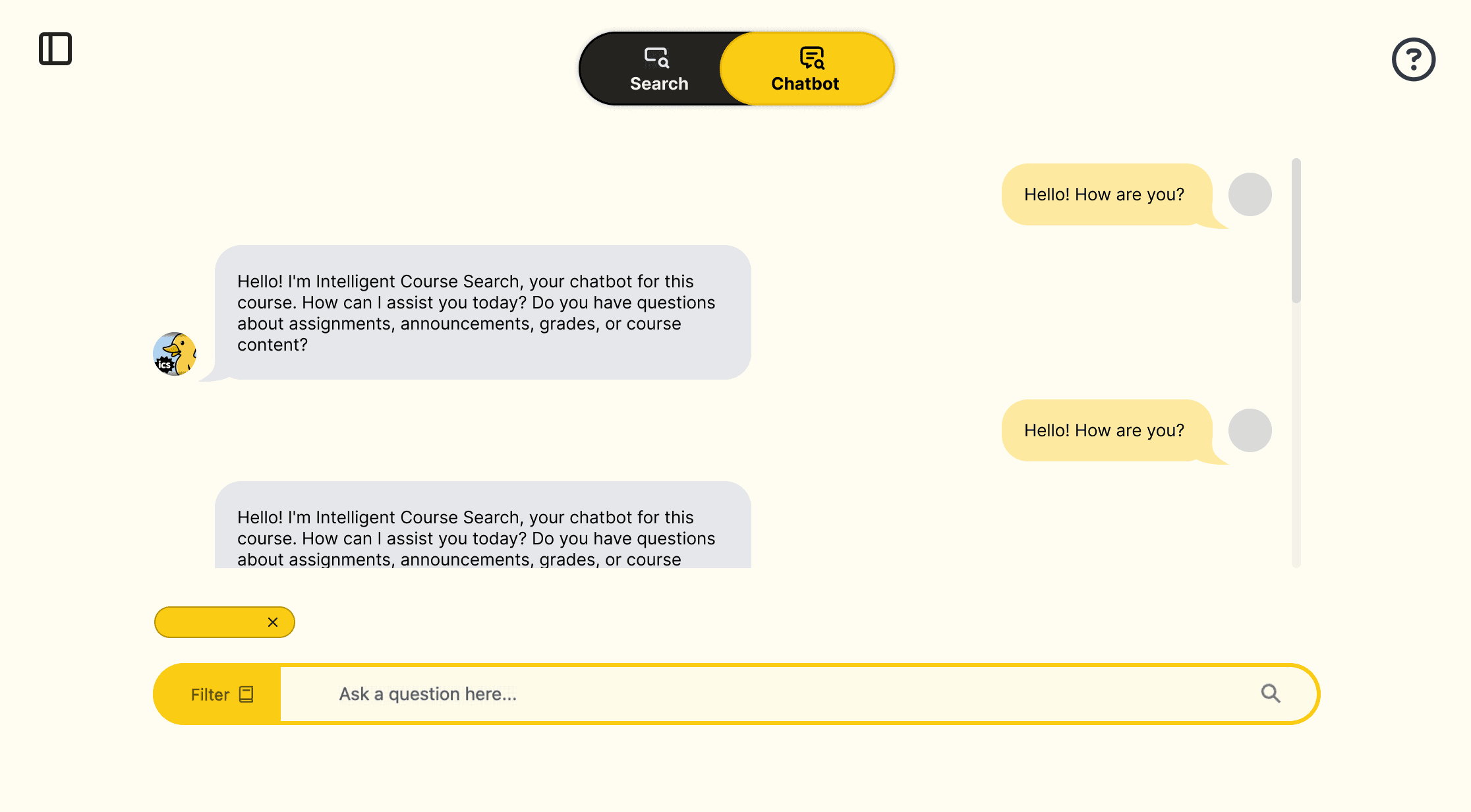
Iteration 1: improved conversation readability and made the “Chatbot” mode visually dominant when active.
Key changes I made
- Clear mode switching: segmented control makes Search vs Chatbot unmistakable.
- Faster repeat use: chat history is promoted so returning users don’t start over.
- Stronger primary CTA: input + filter placement keeps the main task front-and-center.
- More scannable layouts: spacing, grouping, and hierarchy help users find meaning faster.
FINAL CODED EXPERIENCE (IN CANVAS)
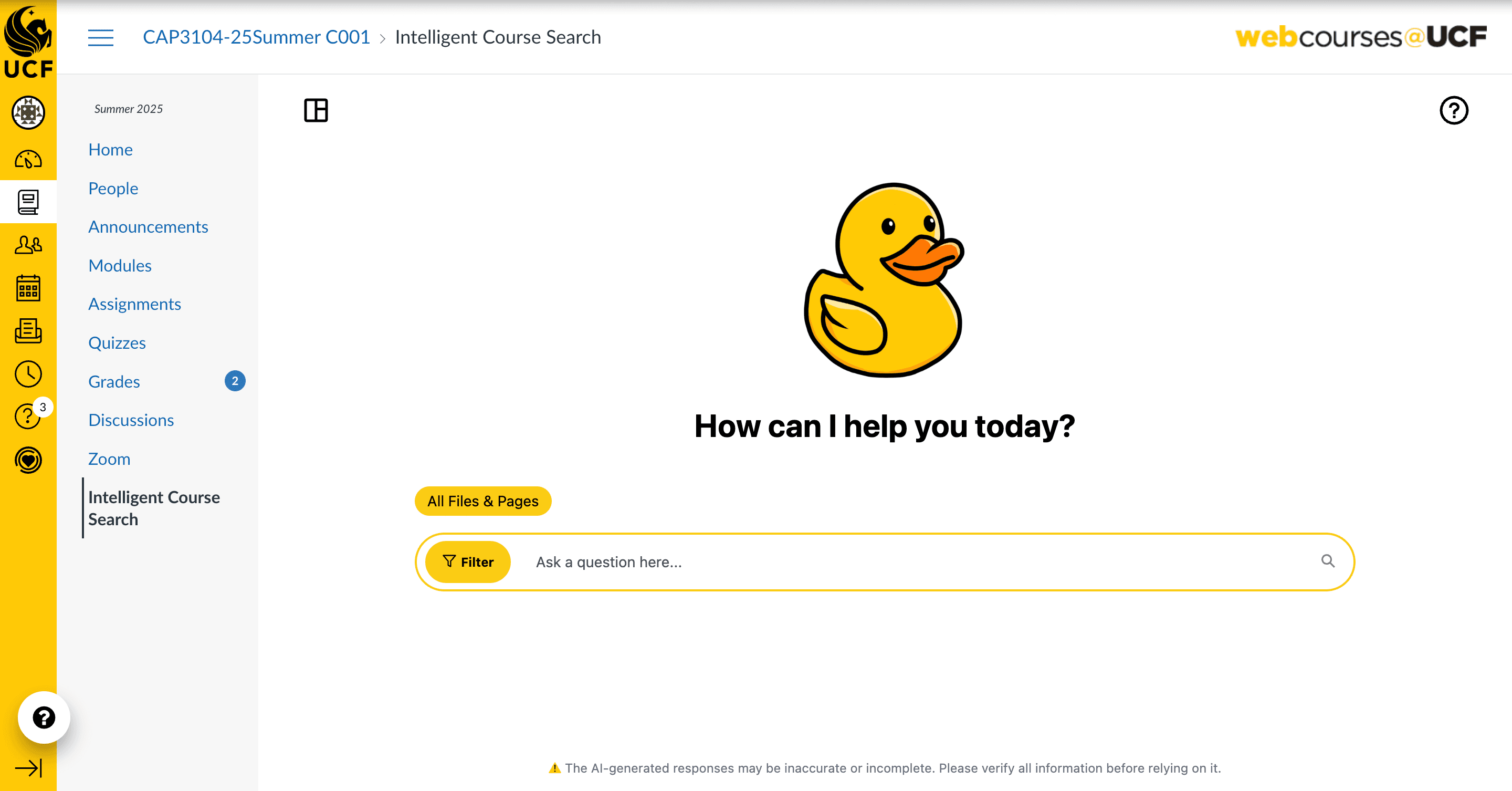
Final: clean landing state inside Canvas with primary action centered.
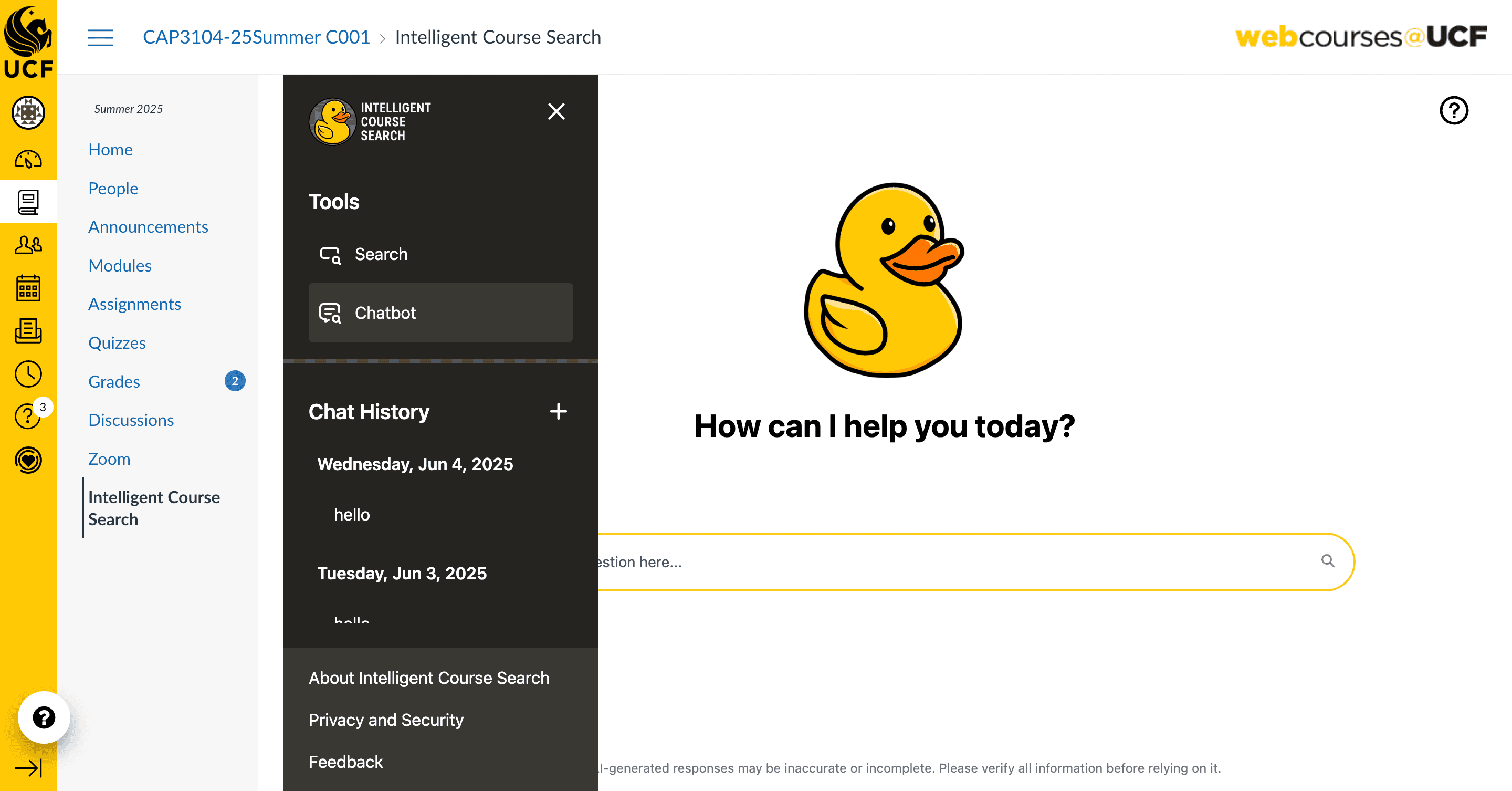
Final: improved navigation + tool access while still respecting Canvas’s layout patterns.
Demo of student interface
ADMIN VIEW (BEFORE → AFTER)
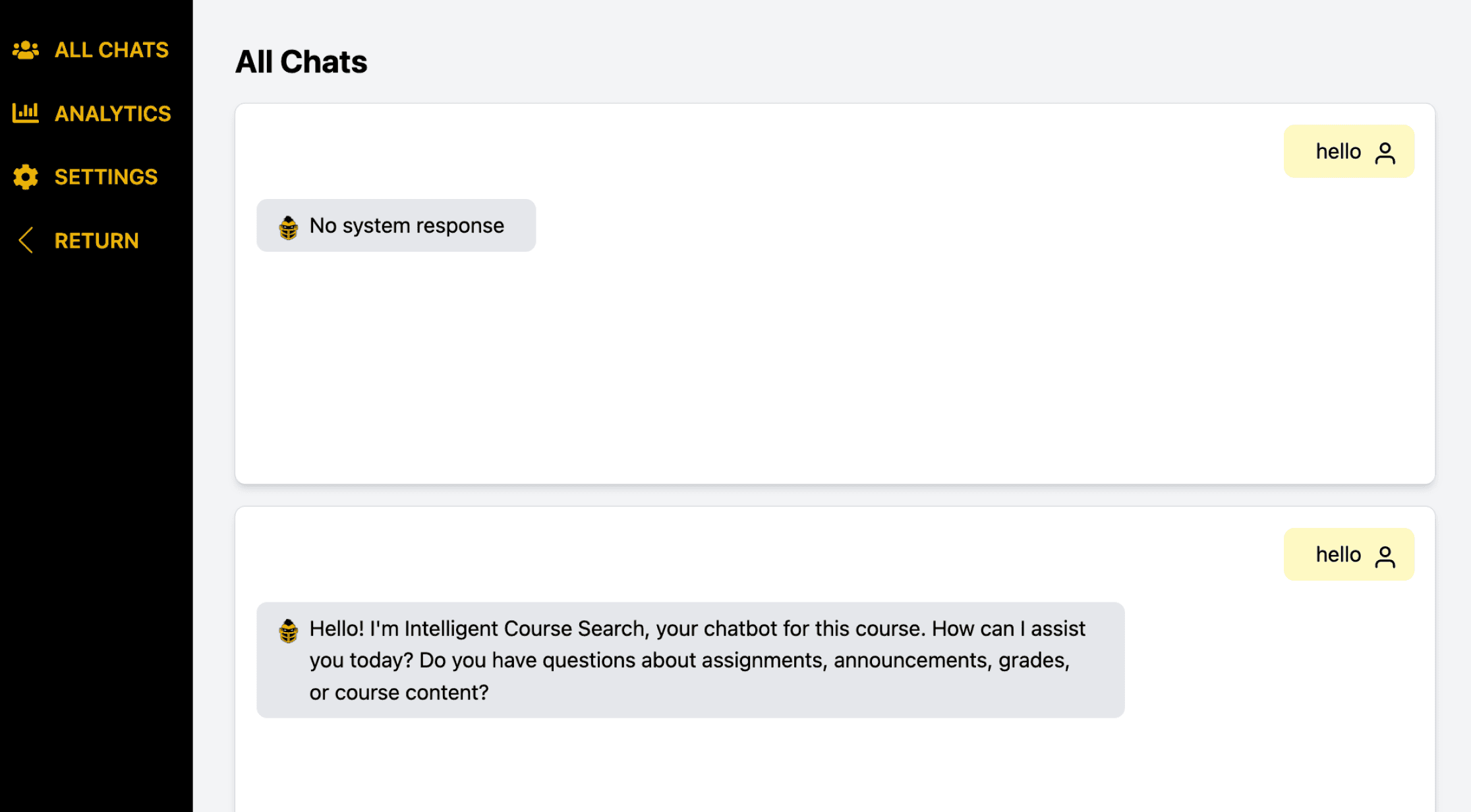
Before: heavy visual weight + long lists made scanning harder.
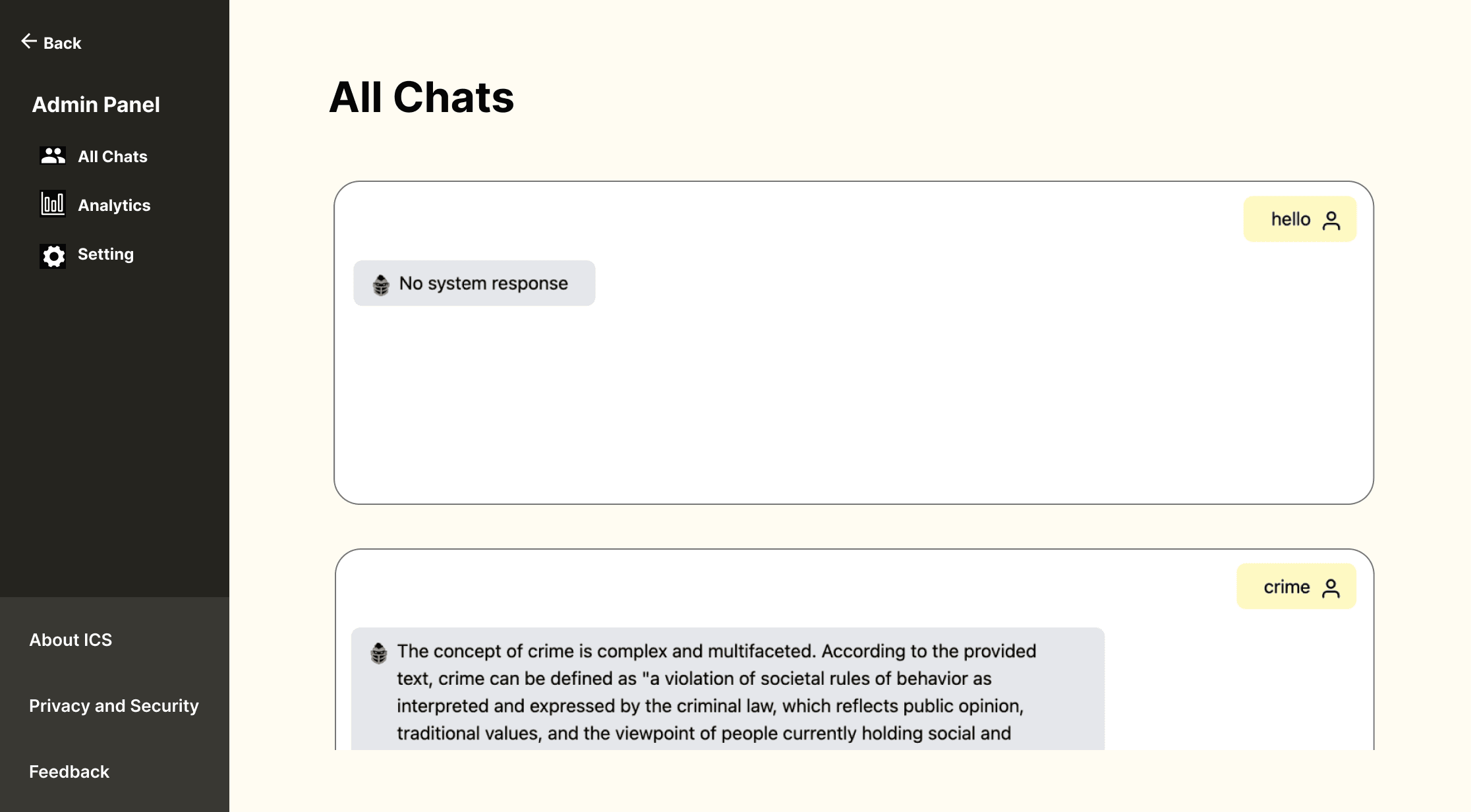
After: improved hierarchy, spacing, and navigation clarity for faster management.
What changed in the admin experience
- Clear navigation: simplified left nav with consistent icon + label pairing.
- Better readability: lighter canvas, improved spacing, and reduced visual noise.
- Faster scanning: chat cards feel more structured and easier to skim.
REFLECTION
This project taught me how to approach UX from a working system, by identifying where users get stuck, validating changes through research and usability testing, and then shipping improvements without breaking the surrounding ecosystem (Canvas). It strengthened my workflow from surveys, interviews, to Figma iteration ,and frontend implementation.